
如下图 没有 add user 的按钮了
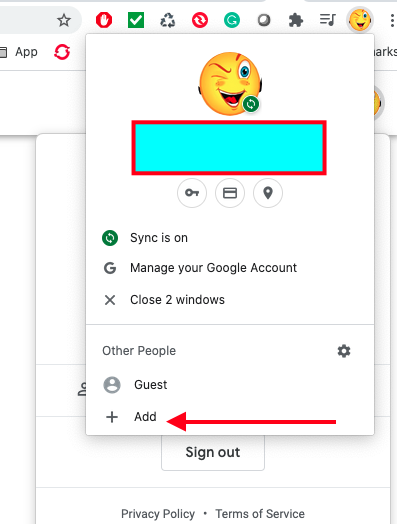
期间更新过几次 都不行
除了删除后重新安装还有别的方法解决码
如下图 没有 add user 的按钮了
期间更新过几次 都不行
除了删除后重新安装还有别的方法解决码
 |
OutOfMemoryErrorOct 9, 2023
1
117.0.5938.132 可以
|
 |
2
|
 |
amrnxcdtOct 9, 2023
3
点进去就有“不登录账号的情况下继续”
|
 |
hicdnOct 10, 2023
5
117.0.5938.149 一切正常
|
|
6
搜到方法了
For those that have been looking for an answer to the add profile option being missing: 1) Open the registry editor. 2) Navigate to Computer\HKEY_LOCAL_MACHINE\SOFTWARE\Policies\Google\Chrome 3) Add a dword32 value titled: BrowserAddPersonEnabled 4) Give the dword a value of 1 5) Restart Chrome For reference see: https://chromeenterprise.google/policies/#BrowserAddPersonEnabled |
 Select Language