• 请不要在回答技术问题时复制粘贴 AI 生成的内容
dunhanson
V2EX  ›  程序员

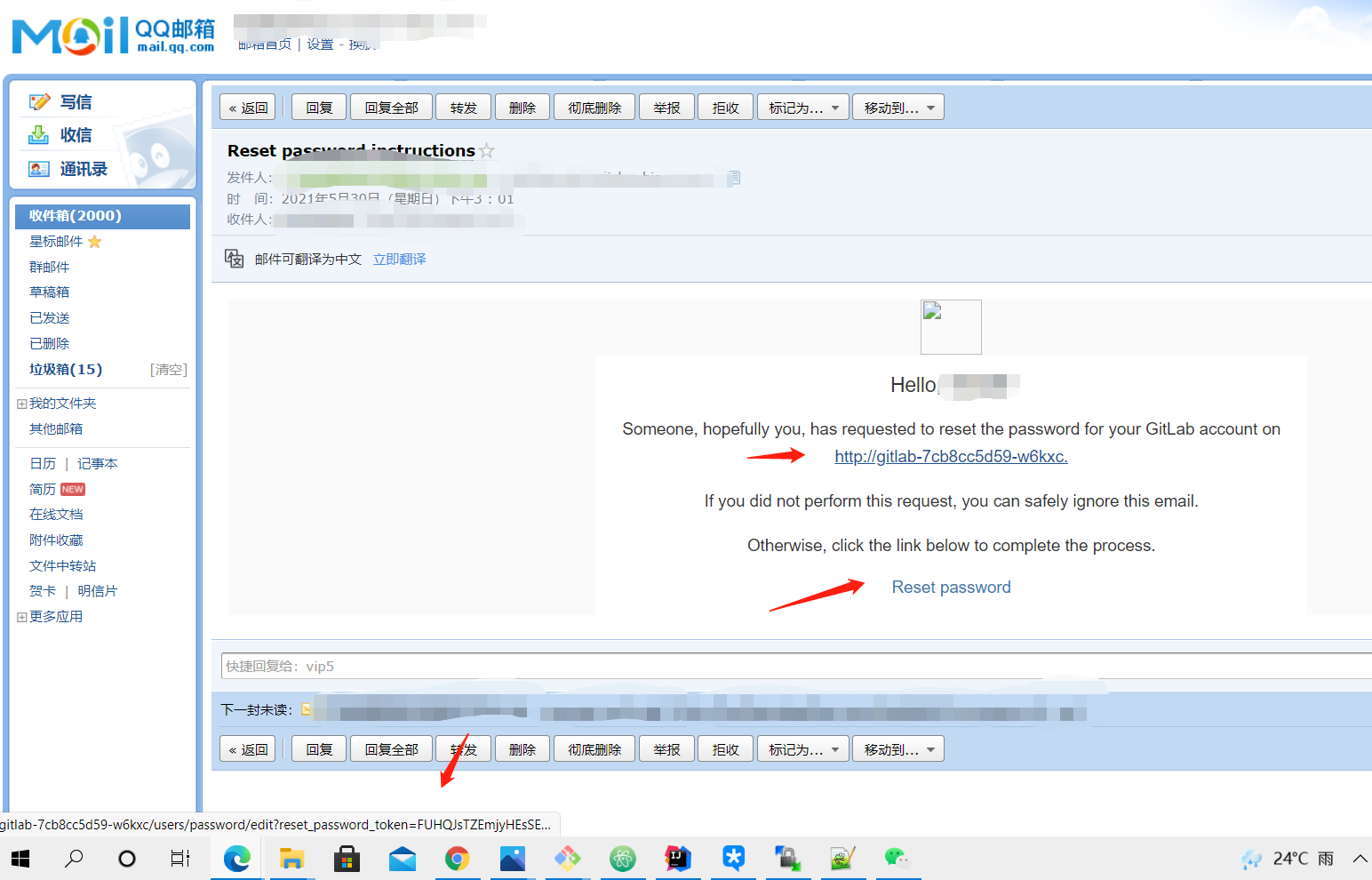
Gitlab 社区版,邮件通知的网站地址怎么改成自定义的?

  •  
  •   dunhanson · May 30, 2021 · 1851 views
    This topic created in 1816 days ago, the information mentioned may be changed or developed.

    我是用 k8s 部署的 gitlab,gitlab 自带的 nginx 是关闭的

    clone 地址已经修改( Admin Area > General > Custom Git clone URL for HTTP(S))

    ---
    apiVersion: v1
    kind: Service
    metadata:
      name: gitlab
      namespace: default
    spec:
      clusterIP: None
      selector:
        app: gitlab
      ports:
        - protocol: TCP
          port: 80
          targetPort: 80
    ---
    apiVersion: networking.k8s.io/v1
    kind: Ingress
    metadata:
      name: gitlab
    annotations:
     nginx.ingress.kubernetes.io/proxy-body-size: "50m"
    spec:
      tls:
      - hosts:
          - gitlab.******.com
        secretName: gitlab
      rules:
      - host: gitlab.******.com
        http:
          paths:
          - path: /
            pathType: Prefix
            backend:
              service:
                name: gitlab
                port:
                  number: 80


    2VoY3q.png

    6 replies    2021-06-01 12:37:28 +08:00
    dunhanson
        1
    dunhanson  
    OP
       May 30, 2021
    我尝试了修改 external_url,但是配置生效后,无法访问 Gitlab 了
    dunhanson
        2
    dunhanson  
    OP
       May 30, 2021
    我发现了一个问题
    external_url 中配置 http 就没问题,配置了 https 就会出现访问不了的问题
    coolcoffee
        3
    coolcoffee  
       May 31, 2021
    gitlab 的 external_url 是会影响配置的,例如:external_url 里面设置了 port,那么内部监听的 port 也会变掉。

    你配置 https 地址之后,进容器 shell 里面访问一下,是不是监听端口从默认的 80 变成 443 了。
    cnhongwei
        4
    cnhongwei  
       May 31, 2021
    修改 external_url. 修改 external_url 还要修改其它参数

    不过我的是 browser -> nginx( https 非 443,因为是家里的宽带) -> docker (-p 映射 xxxx ) -> gitlab( http 80)

    docker 相关参数:
    --env GITLAB_OMNIBUS_CONFIG="external_url 'https://xxxxxx:yyyyy'; gitlab_rails['gitlab_shell_ssh_port'] = yyyyy2; nginx['listen_port'] = 80; nginx['listen_https'] = false;"
    dunhanson
        5
    dunhanson  
    OP
       Jun 1, 2021
    @coolcoffee 了解
    dunhanson
        6
    dunhanson  
    OP
       Jun 1, 2021
    @cnhongwei 回头我试试这样
    About   ·   Help   ·   Advertise   ·   Blog   ·   API   ·   FAQ   ·   Solana   ·   1386 Online   Highest 6679   ·     Select Language
    创意工作者们的社区
    World is powered by solitude
    VERSION: 3.9.8.5 · 36ms · UTC 17:12 · PVG 01:12 · LAX 10:12 · JFK 13:12
    ♥ Do have faith in what you're doing.
