

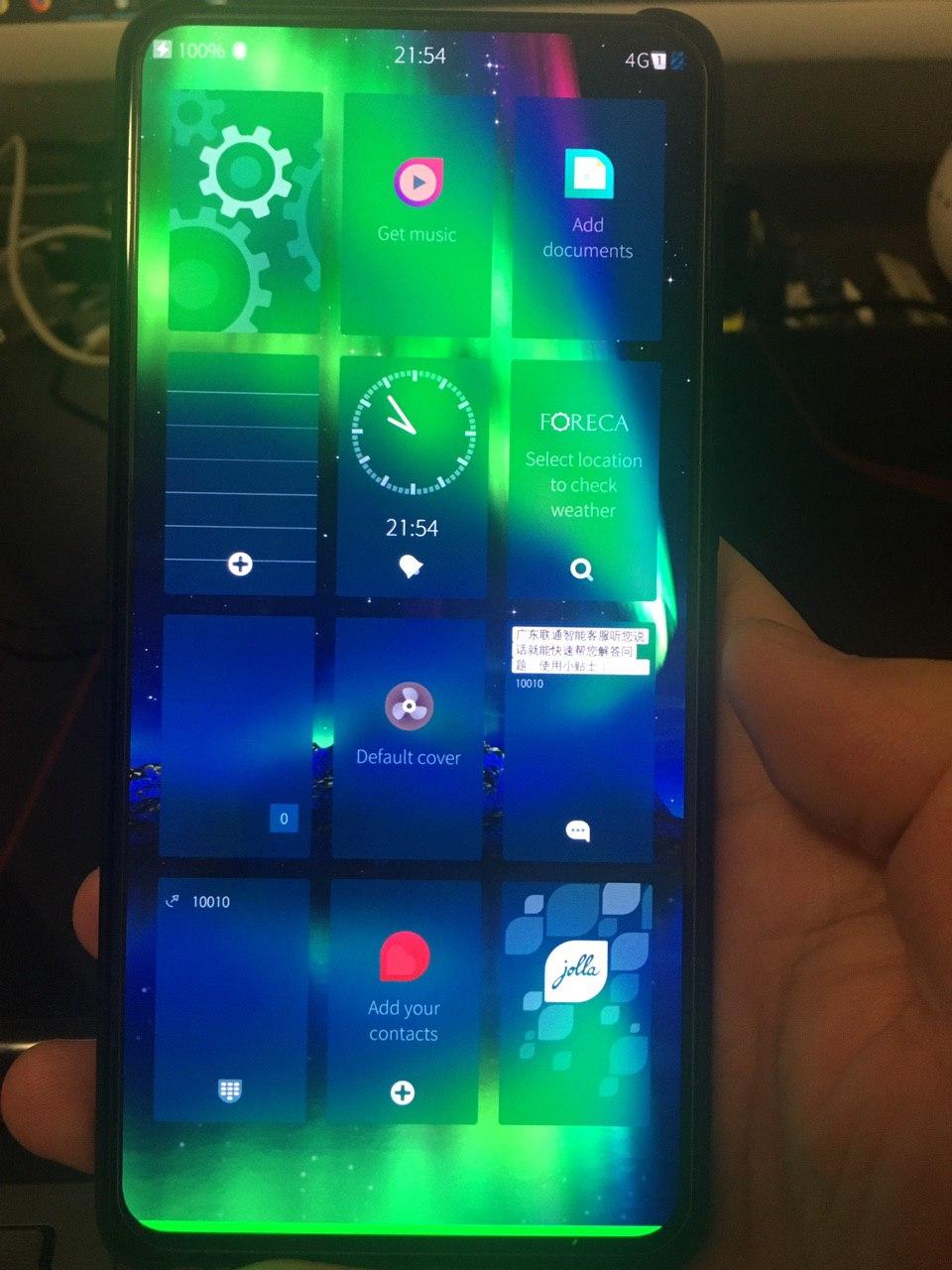
免责声明,目前只是体验版,请明白自己在做什么,手机损害概不负责
已发布到 xda https://forum.xda-developers.com/mi-9t/development/sailfishos-redmi-k20-mi-9t-experimental-t4062983
看到有一个找小众系统的贴子就顺手这里发一下
Bilibili: https://www.bilibili.com/video/av92581428/
Youtube: https://www.youtube.com/watch?v=J_3RLota6pY
Working:
- WIFI
- Audio
- SMS/Call
- VideoPlayback
- Rear camera
- GPS
- Sensors
- Bluetooth
Not Working:
- Cellular Data
- Front camera
- FM
- MTP mode
Know bugs:
- Sometime after reboot, can't boot into sailfish, and keep bootloop, need
fastboot --disable-verity --disable-verification flash vbmeta vbmeta.img
How to install
1. packages
- Android 9 base miui, like
miui_DAVINCI_V11.0.3.0.PFJCNXM_104ec46429_9.0ormiui_DAVINCIGlobal_V11.0.1.0.PFJMIXM_de37c81233_9.0, if you are on one of those miui version, skip this step - sailfishos-davinci-release-3.2.1.20-devel-2020****-****.zip https://gitlab.com/0312birdzhang/davinci-ci/pipelines
- twrp https://forum.xda-developers.com/mi-9t/development/recovery-unofficial-twrp-xiaomi-redmi-t3960726
- vbmeta.img (it's in your miui package, miui_DAVINCI_V11.0.3.0.PFJCNXM_104ec46429_9.0.zip/firmware-update ), or you can download from here https://mega.nz/#!j54RkYJQ!_jbilQ4qcnn8LBcjpSmGLH0UjcuPSZHDQeyHE9cqfyA
2. install steps
- unlock bootloader
- flash twrp
- (option)flash android 9 base miui (maybe you need format data, wipe system etc...)
- flash sailfish and reboot to system
- if keep bootloop,
fastboot --disable-verity --disable-verification flash vbmeta vbmeta.imgunder fastboot mode


 Select Language