
按住空格再按其它键,执行相应的动作,打开程序、文件夹什么的,还能模拟按键。
下面是从官网上搬来的例子
- Launch an app, open a website, or run a script.
- Spacebar S -> launch Safari
- Spacebar N -> launch Notes
- Spacebar G -> open a website
- Simulate a keystroke (with/without modifiers)
- Spacebar Q -> simulate F11
- Spacebar X -> simulate Control-Option-Shift-Command-A
- More keys, more actions
- Spacebar F then D -> open Documents folder
- Spacebar F then W -> open Downloads folder
- Spacebar A W E S O M E -> launch your AppleScript to say "you are awesome"
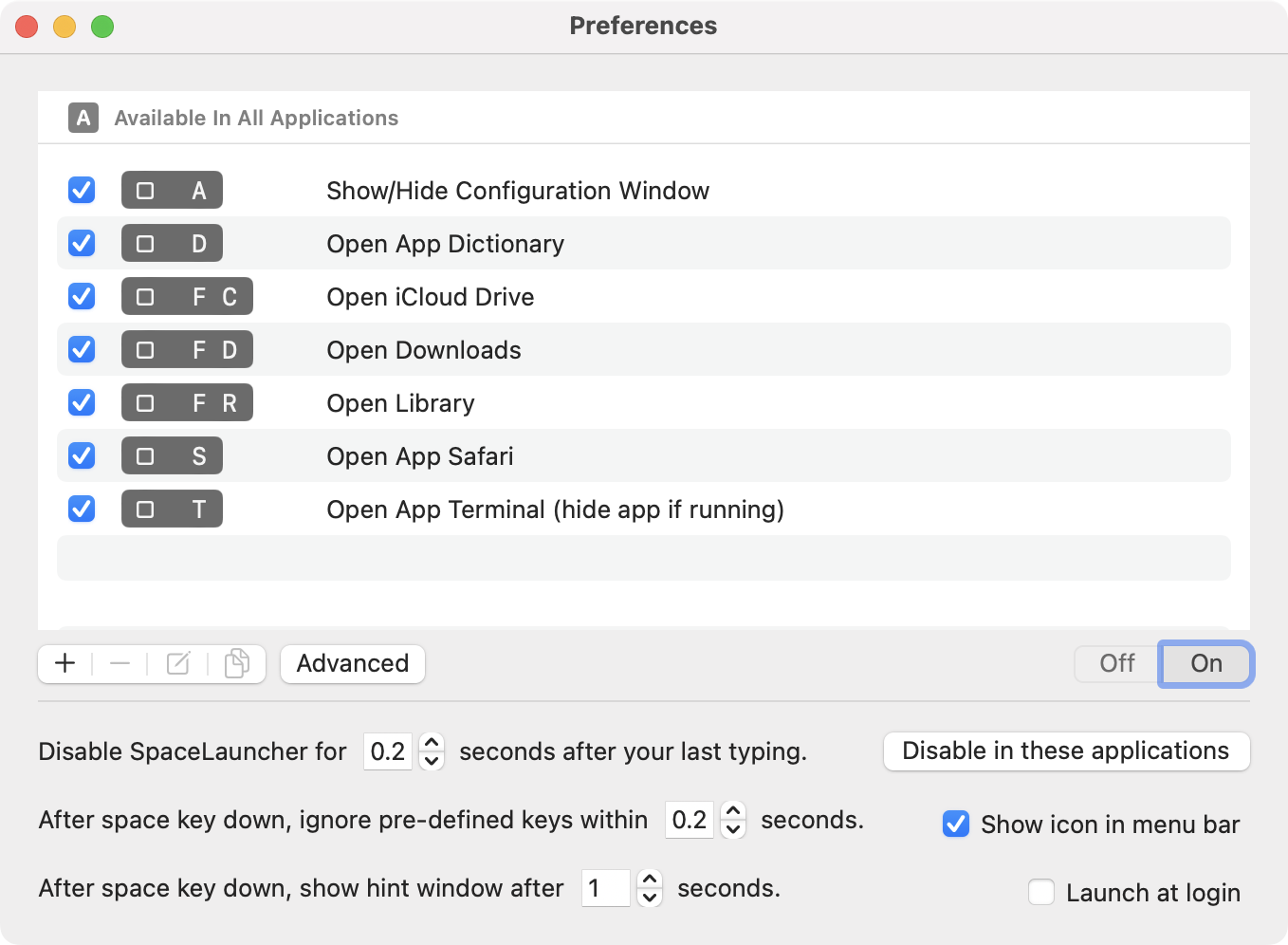
还可以设置按住空格然后连续按多个键执行某个动作,这样不用担心键不够用了。
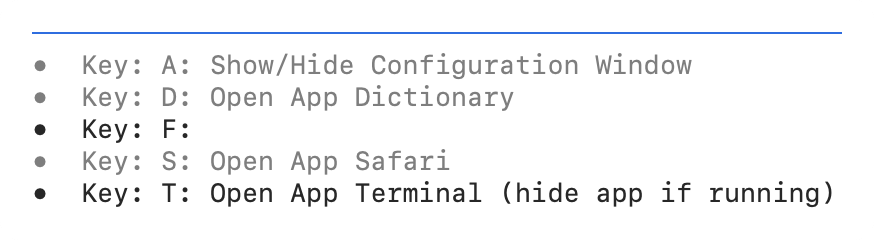
忘记设置了还有提示。
最最最最最贴心的是,最近用过的按键会变灰,只正常显示很少用过的键。
这个想法很类似 hyper key,就是把大写字母锁定键改成快捷键,不过相比之下,空格键爽太多!


 1
1


 Select Language